

How it works
From first call to a full shift.
Five steps, start to finish. You don’t need technical staff for any of them.
30 minutes
Discovery call or onsite visit
We learn your software and your most manual processes, the steps your team repeats every week.Onsite available in Central and North New Jersey and New York City.
Fixed fee
Quote
A fixed setup and advisory fee, plus a monthly fee of $600 to $1,000.
No IT staff needed
Setup
We connect your email, calendar and business software, set up calls and texts if you want them, and give each AI employee its job, its rules and its shift.
Week one
Training week
Your team works alongside them and corrects them in plain English. We tune them as the week goes.
Ongoing
Handover and support
You own the accounts. We stay on call for new employees and changes.
After handover: one task, start to finish
This is what a day-to-day request looks like in the app.
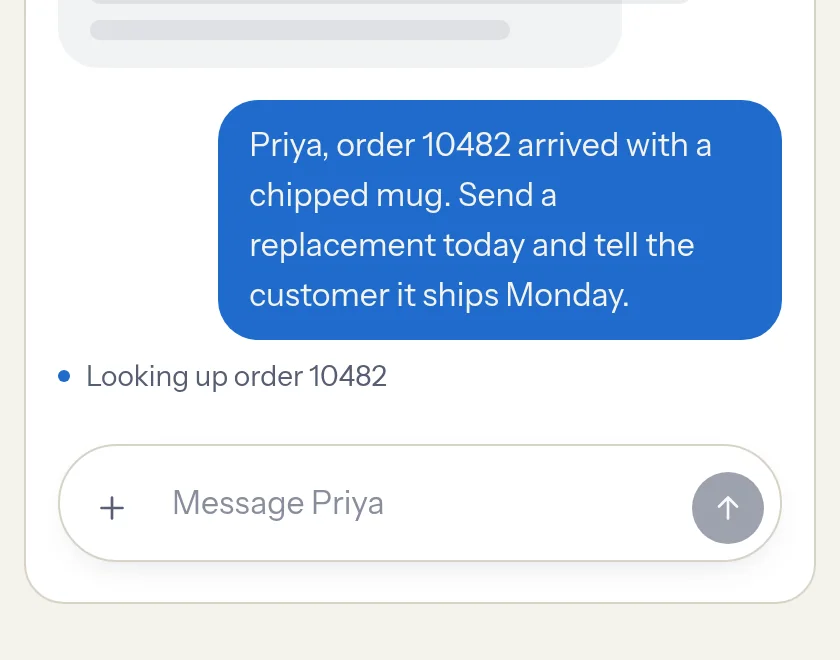
- 01
You ask in plain words
Type a request the way you'd say it to a coworker. The right employee picks it up and starts.
- 02
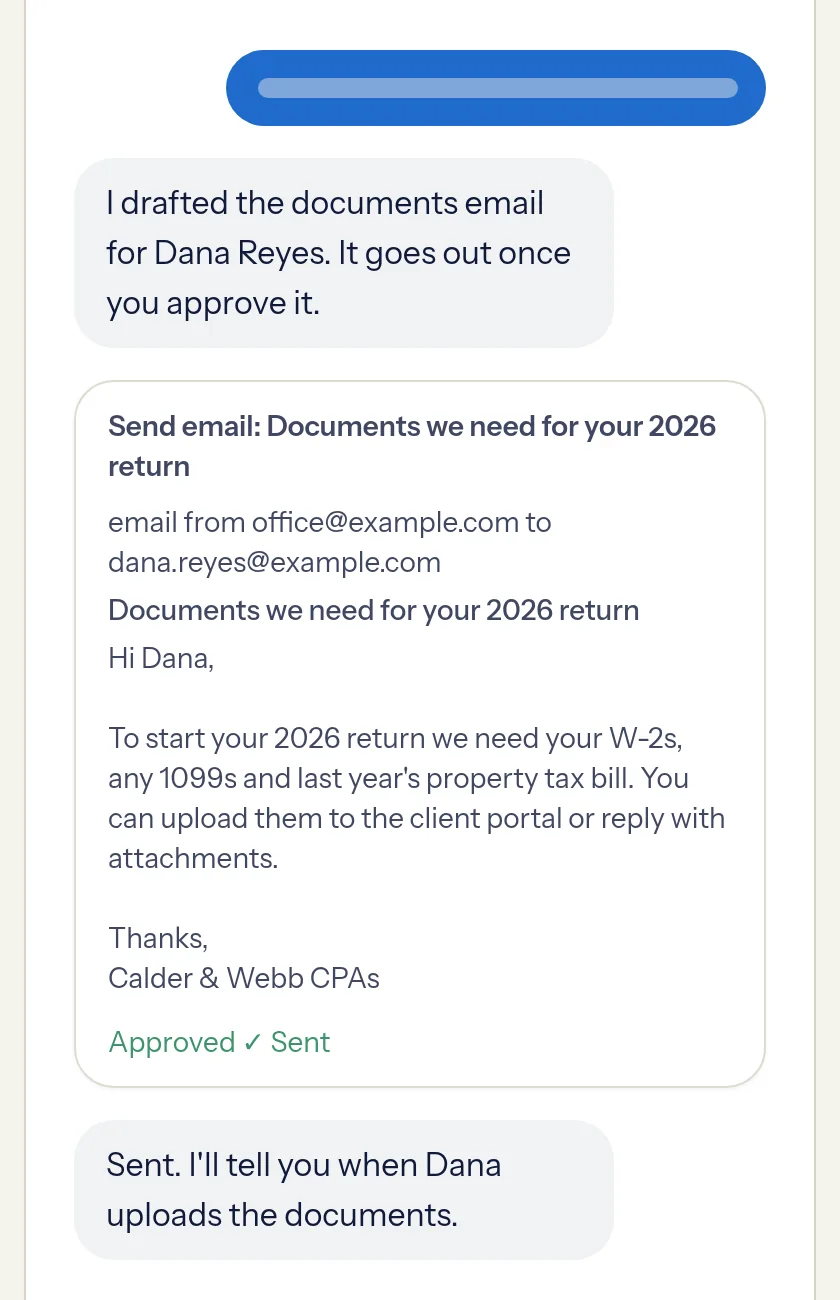
You approve what goes out
Emails, texts and calls to customers wait on an approval card. Approve, edit or cancel.
- 03
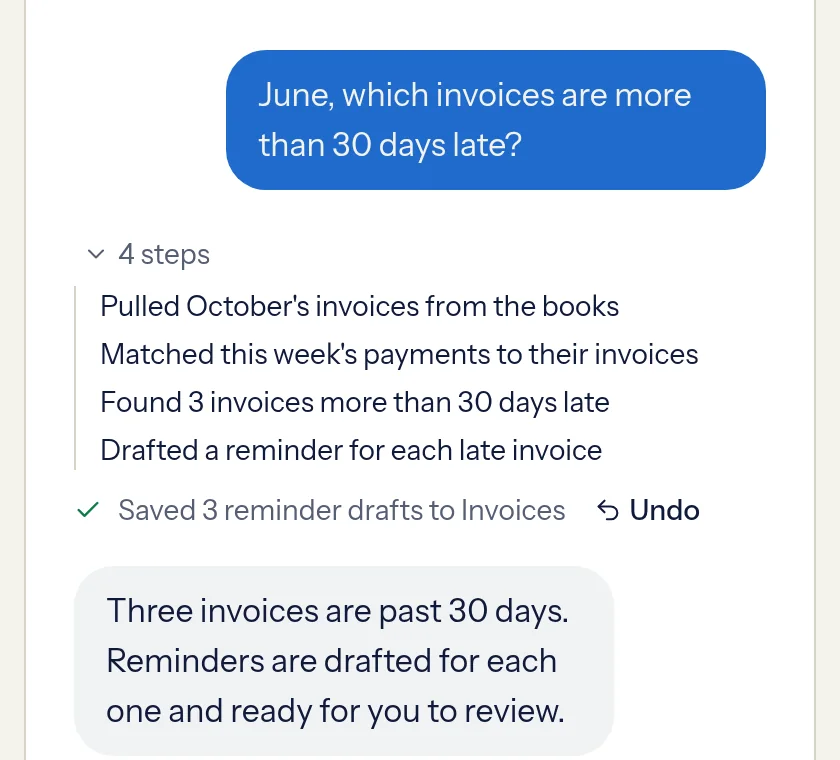
You see each step
Progress shows while the work runs. When it's done, the steps stay in the chat for you to check.
Example screens. The businesses, names and numbers are made up.



We come to you
In Central and North New Jersey and New York City, we visit in person: we sit with your team, watch the work and find the steps worth handing over.
Questions owners ask
They only use the accounts you connect, and nothing else. You can see every action each one takes, and you can switch any of them off at any time.
Email, calendars, spreadsheets, CRMs, accounting platforms like QuickBooks and Xero, and e-commerce platforms like Shopify and Amazon. Tell us what you use and we'll confirm on the call.
It asks when it's unsure and flags work that needs you instead of guessing. When it gets something wrong, you correct it in plain English, the way you'd correct a coworker.
No. We set everything up, train your team during the first week and stay on call afterwards.
Five new hires. Every shift covered.
Tell us what eats your week. We’ll show you which five employees would take it off your plate.